If your smartphone feels slower than a tortoise these days, you are not alone. Millions of mobile users in India face this frustrating issue every day. You tap an app, and it takes five seconds to open. You try to type a WhatsApp message, and the keyboard freezes.
Most people think their phone is “old” or has a virus. But usually, the real problem is hidden in two simple things: RAM or Storage.
This guide explains exactly why your phone is slowing down, how to find the real culprit, and simple steps to make your mobile fast again without spending a single rupee.
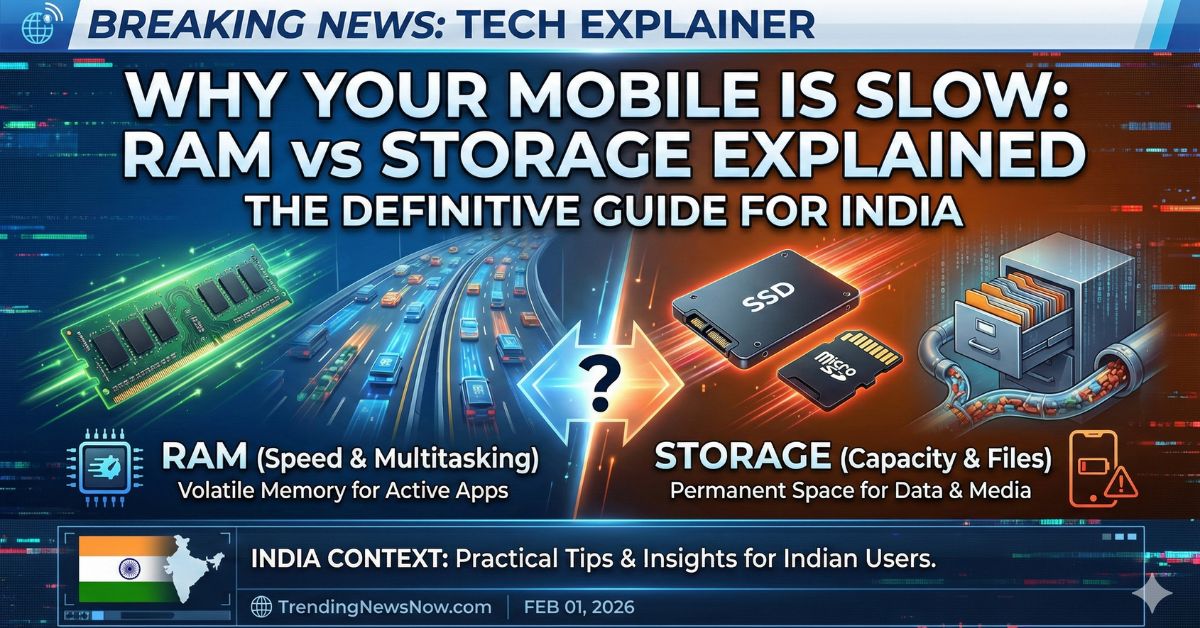
The Real Difference: RAM vs. Storage
To fix your phone, you first need to understand what is happening inside it. Think of your phone like a kitchen.
- RAM (Random Access Memory): This is your kitchen counter. It is where you do your current work. If you have a small counter (low RAM), you can only chop vegetables for one dish at a time. If you try to cook three dishes (open three apps), things get messy and slow.
- Storage (ROM/Internal Memory): This is your cupboard or fridge. It is where you keep all your ingredients (photos, videos, apps) when you are not using them. If your cupboard is 100% full, you cannot put anything new in, and you struggle to find things.
In simple terms:
- RAM handles speed and multitasking (running apps).
- Storage handles saving files (photos, videos, downloads).
Symptom Check: Is It RAM or Storage?
How do you know which one is making your phone slow? Look for these signs.
Signs Your RAM is Low
- Apps restart automatically: You are watching a YouTube video, switch to reply to a WhatsApp message, and when you come back, YouTube reloads from the beginning.
- Lag when typing: You type a sentence, but the letters appear on the screen after a delay.
- Home screen redraws: When you close a heavy game (like BGMI or Free Fire), your home screen icons take a second to appear.
Signs Your Storage is Full
- “Storage Full” Notification: You get a constant warning in your notification bar.
- Cannot take photos: You open the camera, and it says “Not enough space.”
- Gallery loads slowly: Your photos appear as grey boxes for a few seconds before showing the actual image.
- System freeze: The whole phone hangs or becomes unresponsive for seconds at a time.
Why This Matters for Indian Users
In India, two specific habits make storage issues very common:
- WhatsApp Forwards: “Good Morning” images and videos from family groups silently fill up gigabytes of space.
- Budget Phones: Many popular phones in the ₹10,000–₹15,000 range come with 4GB or 6GB RAM. While this sounds good, modern apps like Instagram and Facebook are becoming heavier, eating up this memory quickly.
Step-by-Step Fix Guide
1. The “Golden Rule” of Storage
Keep at least 15% to 20% of your internal storage free. If you have a 128GB phone, try to keep about 20GB empty. Your phone’s operating system (Android or iOS) needs this “breathing space” to run smoothly.
How to fix:
- Open Files by Google (or your File Manager).
- Look for the “Clean” tab.
- Delete “Junk Files” and “Duplicate Images.”
- Pro Tip: Go to WhatsApp Settings > Storage and Data > Manage Storage. Delete large forwarded videos you don’t need.
2. Manage Your RAM Smartly
You cannot download more RAM, but you can use what you have efficiently.
- Restart your phone: This is the simplest magic trick. Restarting clears the RAM completely and gives your phone a fresh start. Do this once every 2–3 days.
- Use “Lite” Apps: If you have a budget phone, uninstall the main Facebook or Instagram app. Install Facebook Lite or use Instagram in the Chrome browser. They use much less RAM.
- Check Background Apps: Uninstall apps you haven’t used in 3 months. They often run in the background and steal your RAM speed.
3. The “Memory Extension” Feature
Many modern phones (Realme, Xiaomi, Samsung, Vivo) have a feature called Virtual RAM or RAM Expansion. This borrows some space from your storage and uses it as temporary RAM.
- Check Settings: Go to Settings > About Phone > RAM.
- Enable it: If available, turn on “RAM Expansion.” It won’t make your phone a supercomputer, but it helps keep more apps open in the background.
What Happens Next?
If you clean your storage and restart your phone but it still lags, the issue might be an old battery or an outdated processor.
- Check Battery Health: An old battery (below 80% health) can force the processor to slow down to prevent shutting off.
- Factory Reset: This is the last option. Backup your data and reset the phone. It makes the software “like new.”
Read More : Why Edge AI is the Future of Tech
Frequently Asked Questions (FAQs)
Q1: Will deleting photos make my phone faster?
A: Yes, but only if your storage was almost full. If you already have lots of free space (more than 20%), deleting photos won’t make a big difference to speed.
Q2: Does “Virtual RAM” really work?
A: It helps slightly with keeping apps open in the background, but it is not as fast as real physical RAM. Do not rely on it for heavy gaming.
Q3: How much RAM is good for a phone in 2026?
A: For normal usage (calls, WhatsApp, YouTube), 6GB RAM is the new minimum. For gaming and heavy use, aim for 8GB or 12GB.
Q4: Why is my phone slow even though I have space?
A: It could be due to too many background apps, a weak battery, or the phone is simply too old for modern app updates. Try a factory reset.
Q5: Should I use “Ram Booster” or “Cleaner” apps?
A: No. Most of these apps actually slow down your phone by displaying ads and running constantly in the background. Use the built-in cleaner in your phone settings instead.