Losing a smartphone is a nightmare for anyone. The panic gets worse when you realize your phone’s mobile data is off, or worse—the battery is dead. For years, “Find My Device” tools required the lost phone to be connected to the internet to show its location. If a thief pulled out the SIM card or turned off the WiFi, the phone was gone forever.
That is finally changing in 2026.
A major technology shift has arrived in India. Google, Samsung, and the Indian Government have all introduced updates that allow users to track smartphones without an active internet connection. Whether you have a budget Android or a premium model, here is everything you need to know about the new “Offline Finding” era.
The Big Update: How “Offline Finding” Works
Traditionally, phone tracking relied on GPS and cellular data. The phone had to “tell” the server where it was.
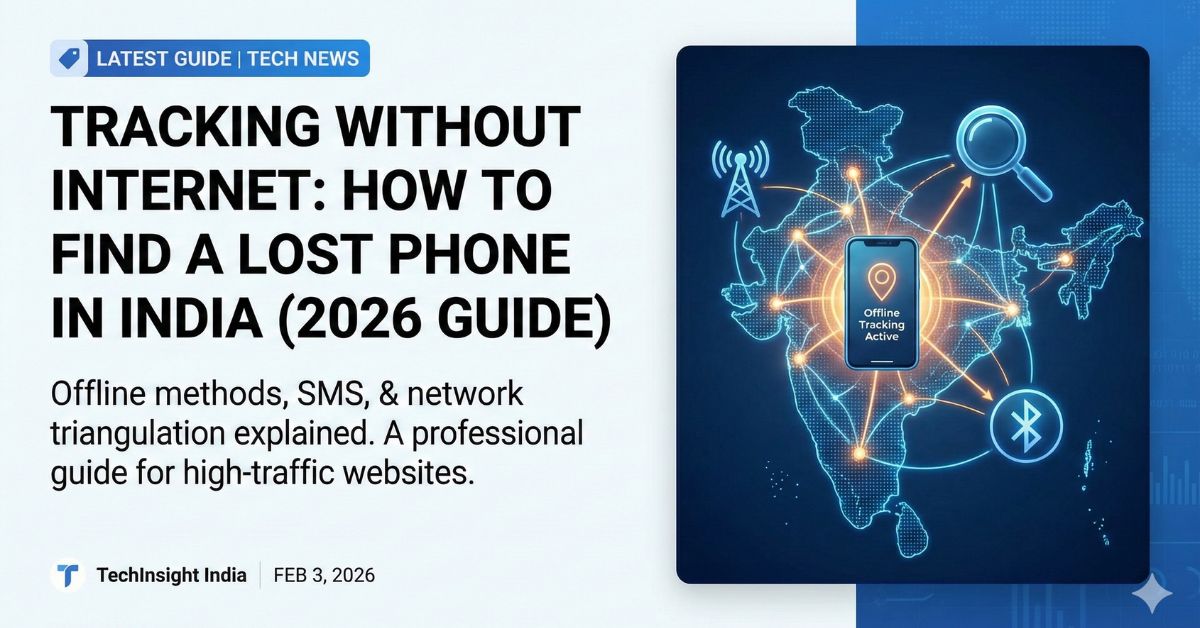
The new Offline Finding system uses Bluetooth signals instead of the internet. Here is the simple explanation of how it works:
- The “Crowd” Network: Your phone continuously sends out a secure, silent Bluetooth signal, even when it is offline.
- Nearby Devices Help: If you lose your phone in a market, park, or bus, other people’s Android phones nearby will detect this signal.
- Automatic Reporting: These nearby devices securely send your phone’s location to Google or Samsung servers.
- You Get the Location: When you log in to check “Where is my phone?”, you see the location based on the data sent by the strangers’ phones near it.
This process is encrypted. The person whose phone “found” yours does not know they helped you, and Google/Samsung cannot see the specific data—only the owner can.
Google’s “Find My Device” Network (Find Hub)
Google has rolled out its upgraded Find My Device network (often found under the “Find Hub” menu in newer Android versions) to all Android users in India.
- Offline Capability: It can locate phones and tablets that are offline (not connected to Wi-Fi or mobile data).
- Powered-Off Tracking: For select premium devices (like the Pixel 8 and 9 series), specialized hardware allows the Bluetooth chip to keep running for several hours even after the phone runs out of battery or is switched off.
- Tracker Tags: This network also supports Bluetooth tracker tags (like Chipolo or Moto Tag) that you can attach to keys or wallets.
Samsung’s “SmartThings Find”
Samsung users in India have had a head start with this feature. The SmartThings Find network is huge because of the millions of Samsung Galaxy phones in India.
- If you enable “Offline Finding” in your Samsung settings, your Galaxy device can be found by other Galaxy devices even without internet.
- Samsung also allows you to “extend battery life” remotely, which helps the phone stay alive longer to be found.
The Government Angle: Sanchar Saathi & CEIR
While Google and Samsung help you find the phone physically, the Government of India helps you block it if it is stolen for good.
The Sanchar Saathi Portal (CEIR) is a critical tool for Indian citizens.
- How it works: It does not use Bluetooth. It uses the IMEI number.
- Blocking: If your phone is stolen, you can report it on the CEIR website. The government will block the IMEI, making the phone useless for the thief (it won’t connect to any Indian SIM network).
- Tracking: Once you report it, if the thief tries to insert a new SIM card, the telecom operator immediately alerts the police with the new location.
How to Enable Offline Tracking on Your Phone
To stay safe, you must enable these settings before you lose your phone.
For General Android Users:
- Open Settings.
- Go to Google > Find My Device (or Find Hub).
- Tap on “Find your offline devices”.
- Select “With network in all areas” (or “High-traffic areas” if you want to save battery, but “All areas” is safer).
For Samsung Users:
- Open Settings > Security and Privacy.
- Tap on Lost Device Protection.
- Turn on “Offline Finding”.
- (Optional) Turn on “Encrypt Offline Location” for extra privacy.
Why This Matters for India
India is one of the largest smartphone markets in the world, but phone theft is also common. Thieves often switch off phones immediately to avoid tracking.
- Higher Recovery Rate: With “Powered-Off Finding,” the 24-hour window after theft is no longer a “dark zone.”
- Remote Areas: Even in areas with patchy 4G/5G coverage, Bluetooth signals can still work if other people are around.
Privacy Concerns: Is It Safe?
With “always-on” tracking, privacy is a valid concern.
- User Control: You can turn this feature off if you don’t want to participate.
- Encryption: Google and Samsung state that the location data is end-to-end encrypted. They cannot see your location history; only the last known location of the lost device is stored.
- Unknown Tracker Alerts: Android now alerts you if an unknown tracker (like a tag) is moving with you, preventing stalkers from misusing the technology.
Conclusion
The era of “Tracking Without Internet” is a game-changer for mobile security in India. It turns every other smartphone user into a helpful search party without them even knowing it. To protect your expensive device, take two minutes today to check your settings and ensure “Offline Finding” is turned ON.
Read More : Is Your Job Safe?
Frequently Asked Questions (FAQs)
Q1: Can I track my phone if the battery is completely dead?
A: Yes, but only on specific high-end phones (like newer Pixel models) that have special hardware to keep the Bluetooth chip active for a few hours after the battery dies. For most other phones, you can track them only until the battery runs out or if they are just offline (no internet) but still ON.
Q2: Does “Offline Finding” use my mobile data?
A: It uses a tiny amount of data (background usage) to update the network, but the tracking itself works via Bluetooth signals between devices, not heavy data usage.
Q3: What is the difference between Google Find My Device and CEIR?
A: Google’s tool helps you find the phone’s physical location on a map. CEIR (Govt portal) helps police track it and allows you to block the phone so a thief cannot use it.
Q4: Will this work in rural areas in India?
A: It works best in busy areas (markets, stations, cities) because it needs other Android phones nearby to detect your signal. In very remote areas with no people, it may not work effectively.
Q5: Is this feature free?
A: Yes, both Google’s Find My Device and Samsung’s SmartThings Find are 100% free services.