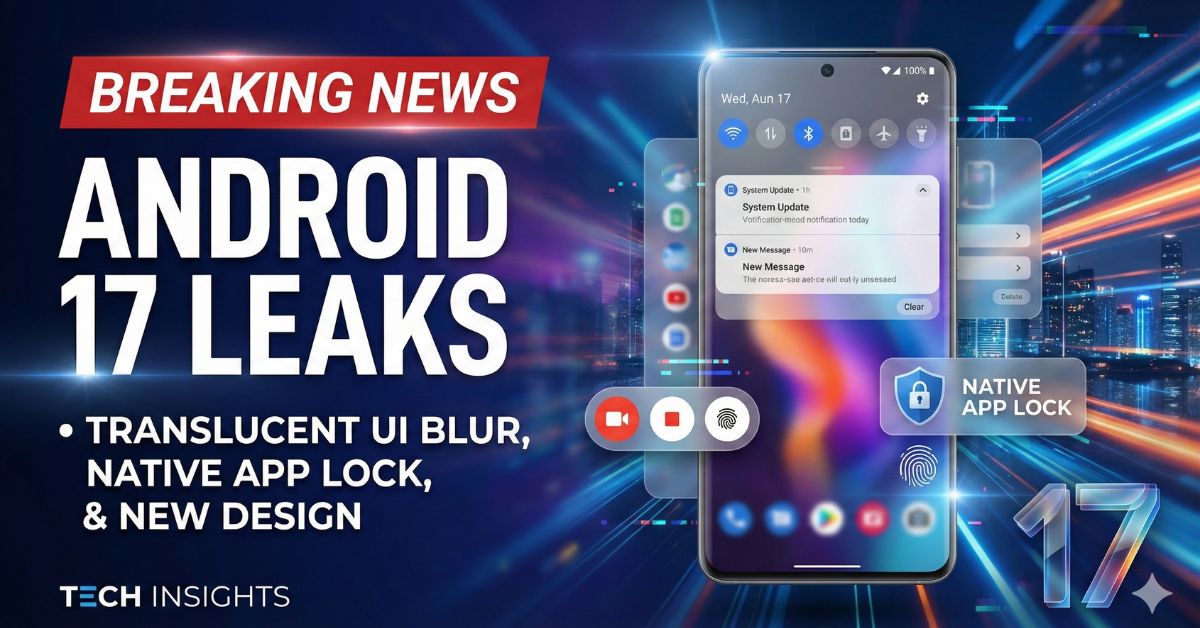
This information is basically for people who use Android phones. I myself also use an Android phone, and there is a big change happening in Android 17 (code name “Sineman”). From this new name, it is clear that Google is finally moving away from solid flat colors.
Instead, the next big update will reportedly bring a “Translucent UI Blur” that looks very modern and premium.
For years, stock Android has used solid backgrounds for menus. But according to fresh reports from reliable tech sources, Android 17 will introduce a frosted glass effect. This means when you open certain menus, you will be able to vaguely see your wallpaper or apps behind them.
Here is everything you need to know about this new look and other big features coming to Android 17.
What is the New “Translucent UI Blur”?
The biggest talk of the town is the visual change. Leaked images of early Android 17 builds show that Google is testing a system-wide blur effect.
- The Look: Imagine a frosted glass window. It is not clear, but it is not solid either.
- Where you will see it: Reports say this blur will appear on the volume slider, the power menu, and the Quick Settings panel.
- Why it matters: Currently, if you change the volume on a Pixel phone, the background is a solid color. In Android 17, it might be a semi-transparent layer. This makes the phone interface feel lighter and more “alive.”
Many tech experts are comparing this to Apple’s iOS design (often called “Liquid Glass”). However, leaks suggest Google’s version is more subtle and will still use the “Dynamic Color” system, so the tint will match your wallpaper.
Big Change: Split Notification and Quick Settings
This might be controversial for some users. Leaks indicate that Android 17 might separate the Notification shade from the Quick Settings panel.
- Swipe Left: To see your Notifications.
- Swipe Right: To open the Control Center (Quick Settings).
This style is already popular on phones from Xiaomi (HyperOS) and OnePlus (OxygenOS) in India. While this split view might be optional for regular phones, reports suggest it could be mandatory for tablets and foldable phones to make better use of the big screens.
Native App Lock and Floating Screen Recorder
Apart from looks, Android 17 is bringing features that Indian users have wanted for years.
1. Built-in App Lock
Finally, you might not need a third-party app to lock your WhatsApp or Gallery. The leaks show a “Lock App” option directly in the system. You can simply long-press an app icon and lock it with your fingerprint or PIN. This is a huge privacy boost.
2. Floating Screen Recorder
The old screen recorder notification is going away. It is being replaced by a “floating pill” or bubble on the screen. This will let you stop recording, mute the mic, or draw on the screen much faster without pulling down the status bar.
Why This Matters for Indian Users
In India, most users own Samsung, Xiaomi, Realme, or OnePlus phones. These brands already use blurred backgrounds and app locks in their custom skins.
For a long time, “Stock Android” (found on Pixel, Motorola, and Nokia phones) felt a bit too simple or “flat” compared to these feature-rich skins. With Android 17, Google is essentially catching up to what Indian users already enjoy. It makes Stock Android feel more premium and less like a developer tool.
When Will Android 17 Release?
We are still in the early days. Here is the expected timeline based on Google’s usual schedule:
Read More : What Are Background Apps?
- Developer Previews: January/February 2026 (Starting now).
- Public Beta: April/May 2026 (likely around the Google I/O event).
- Stable Release: June or July 2026.
Google Pixel phones will get the update first. Other brands like Samsung and Motorola will likely push the update to their flagship phones later in late 2026.
Frequently Asked Questions (FAQs)
Q1: Will Android 17 slow down my phone because of the blur effect?
Blur effects do use a little more graphical power. However, modern phones are very fast, so you should not feel any slowdown. Google usually optimizes these features to save battery.
Q2: Can I turn off the translucent blur if I don’t like it?
Google often provides accessibility settings. It is highly likely there will be an option in “Developer Options” or “Accessibility” to reduce transparency if you prefer solid colors.
Q3: Which phones will get Android 17 first?
Google Pixel devices (Pixel 8 series and newer) will be the first to receive the update.
Q4: Is the App Lock feature confirmed?
It is currently in the “leaked” stage from internal test builds. While it looks very real, Google sometimes removes features before the final release. We have to wait for the
Q5: Is Android 17 called “Cinnamon Bun”?
Yes, “Cinnamon Bun” is the internal code name (dessert name) used by Google engineers for Android 17.